Nesting sign letters on plywood, MDF and hardwood
Wood is the one sign material where the direction a letter faces on the board can matter. Plywood and hardwood have grain, thin strokes can split along it, and good boards cost real money. NestSigns packs wood letters by their real outlines and lets you decide how far each part may turn.
Start free: 20 runs, no credit card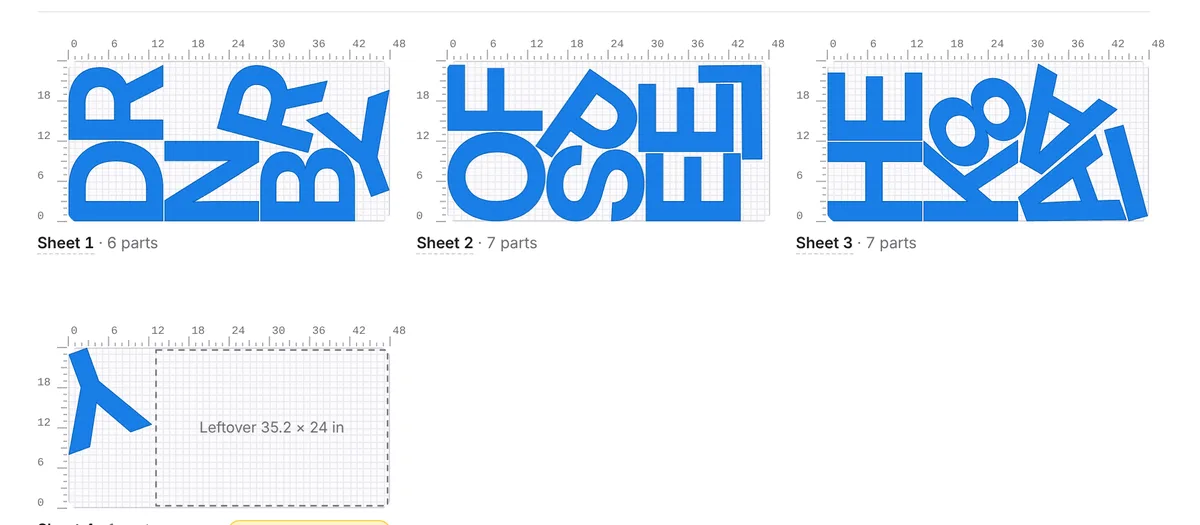
Grain first, then packing
MDF has no grain, so letters can turn any way. Plywood and solid wood do. A narrow stroke, such as the leg of an R or a serif, is much weaker across the grain than along it, and a stained or clear-coated sign shows the grain on the face. Pick the rotation that fits the board:
| Board | Rotation setting | Why |
|---|---|---|
| MDF and other paint-grade panels | Any angle | No visible grain; the tightest packing |
| Plywood that will be painted | 0/180° only | Letters keep the face grain running the same way, and still fit well |
| Stained or clear-coated plywood, hardwood, veneer | No rotation | Every letter shows the grain the same way on the face |
The rotation choice can be made for the whole job or for single parts. Less rotation means a little less material saved, so use it where grain shows, not by habit. If a thin letter will be fragile, you can also click the sheet and drag or turn that one part by hand before you export.
Boards come in different sizes
A 4 × 8 ft sheet (48 × 96 in) is common, but Baltic birch plywood is often sold in 5 × 5 ft sheets and hardwood comes in boards, not sheets. Type the exact size you buy, or add a board to your stock as a leftover piece with its width and length. Panels cut from a larger sheet to fit your machine bed work the same way. NestSigns uses the smallest leftover that fits first and starts a full sheet only when it has to.
Keep species and thickness as separate materials
A 3/4 in birch offcut is not a replacement for a 1/2 in poplar one. Add each wood and thickness you stock as its own material, with its own price per sheet. When you nest a job you pick the material, so only the right offcuts are used, and the job's cost uses the right price. This is the same approach as for different HDU thicknesses.
Spacing for a wood router job
Type your bit diameter and NestSigns sets the gap from it, so a 1/4 in bit gives 0.30 in between letters. In wood, leave a little more than the minimum if you can: a thin web of wood between two letters can crack when the bit passes, and the letters have less to hold them when the board is cut through. After each nest, the smallest measured gap is shown, so you can see how close the tightest pair really is. More on bit size in router bit size and part spacing.
Small and fine letters hold better when the CAM program leaves a few tabs or a thin last layer. Those are toolpath settings, so they stay in your CAM software; NestSigns exports the nested layout, with every part numbered.
Laser-cut plywood
On a laser, plywood glue lines can char and cut slower than the wood, and the cut edge is dark. Set the gap you trust from a test cut, and keep letters a bit away from the edge of the board. Exports include SVG, DXF and a LightBurn project, and a smaller piece of board can be nested exactly like a full sheet. See nesting for a Glowforge and nesting for LightBurn.
Wood letters on a hobby-size router
Many wood sign letters are cut on a desktop or mid-size CNC. If that is your machine, the sheet is usually a piece of the board, not the whole thing. See nesting for Onefinity machines and for Shapeoko.
What else it does for letter jobs
- True-shape nesting by the real letter outlines: any angle, 0/180° only, or no rotation.
- Exact spacing. Type the gap or your bit diameter; every layout is checked and shows the smallest gap measured.
- Parts inside letter holes. Small pieces go inside O, A, B and D, and holes stay with their letter.
- Leftovers first. Full sheets and leftover pieces per material, smallest leftovers used first, stock updated when the job is done.
- Oversize letters left out, divided, or divided with a 1 in joining strip, pieces labeled A1, A2…
- Every part numbered on the sheets and on the original artwork in the layout summary PDF.
Pricing a wood job? Estimating sheets and material cost for letters shows how to turn a layout into a quote.
Questions
Does NestSigns know the grain of my board?
No. It does not read the wood. You tell it how parts may rotate (any angle, 0/180° only, or none), and a board with grain running along its length stays that way for letters set to 0/180° or no rotation.
Can I mix plywood and MDF offcuts in one job?
Not in one nest. Each material has its own sheets and leftovers, so nest the MDF letters and the plywood letters as separate materials.
Can it tell me how many boards I need?
Yes. After the nest you see how many sheets or boards the job uses and how much of each is used, and with a price per sheet entered, the material cost.
Does NestSigns make the toolpaths for my router?
No. NestSigns nests and exports the flat layout. Toolpaths, tabs and cutting depth are set in your CAM program.
Start free
More: All features · NestSigns for your machine and software · FAQ