Estimating return coil and trim cap length from a letter file
In short: The return coil for a channel letter is as long as its outline; NestSigns shows the total cut length of a letter file in inches and feet.
The return on a channel letter runs once around its outline, so the length of coil you need equals the outline length of the letter. NestSigns measures that length for the whole file, or for only the letters you pick, before you nest anything.
Start free: 20 runs, no credit cardRead the length in four steps
- Open the letter file (.ai, PDF, DXF, SVG or .cdr). Pick the DXF units if asked.
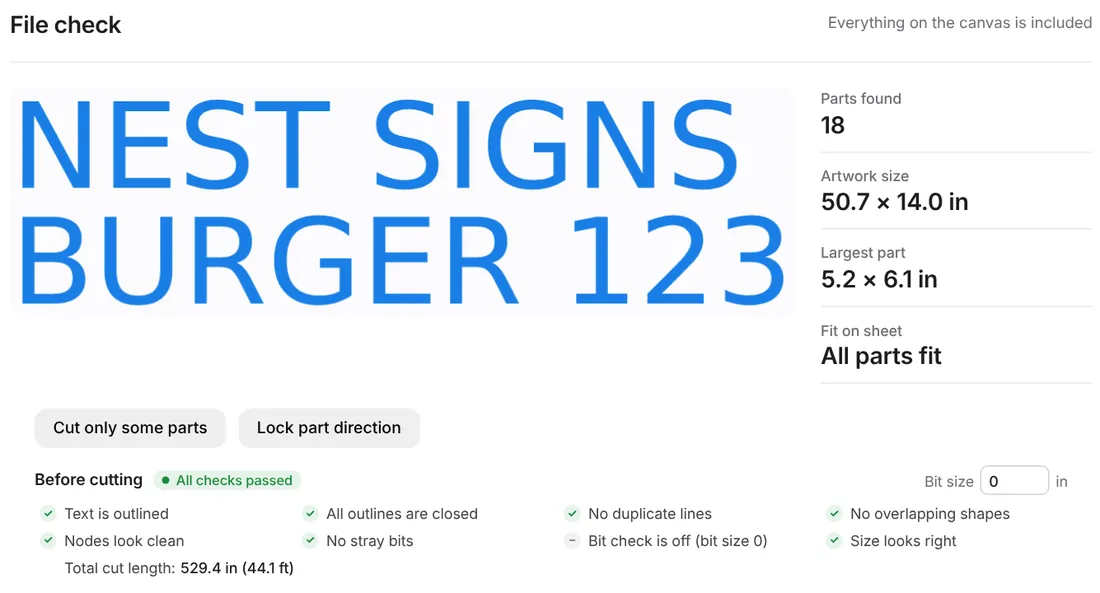
- In the File check, read Total cut length, shown in inches and feet (or cm and meters).
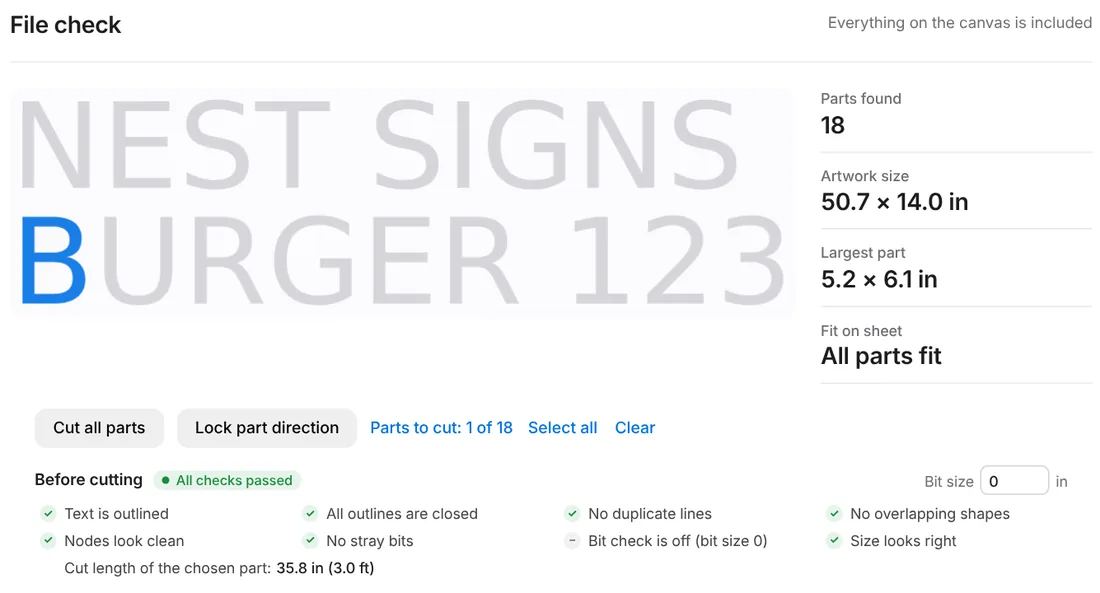
- Click Cut only some parts and click letters to see just their length.
- Add your waste allowance (10% is a typical start) and divide by your roll length.
One letter at a time
The length counts every closed outline, the outside edge and the counters. A B has two counters, and its return runs around them too. Each letter is measured as drawn in the file, so check that the artwork is at final size first.
From length to material
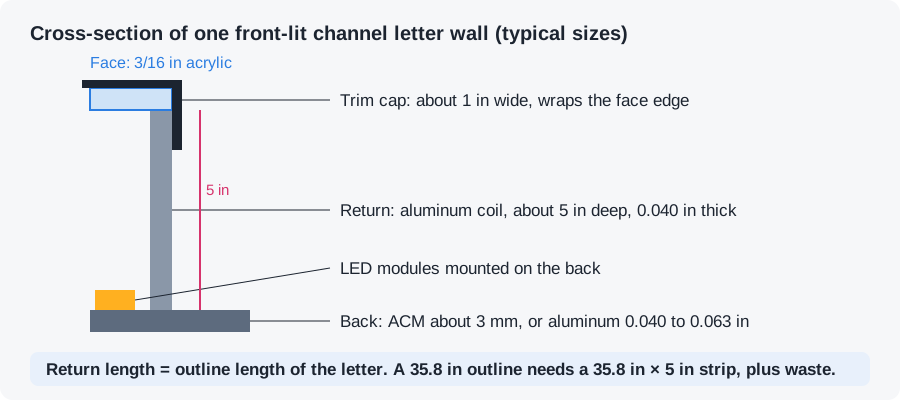
- Return coil. Length = outline length. For the file above: 44.1 ft, or about 48.5 ft with 10% waste. The coil width is the return depth (typical: 3 to 5 in), so the area is length × depth.
- Trim cap. It follows the face edge, so start from the same length. If your build trims only some edges, pick those letters or measure by hand. See trim cap and returns.
- Faces and backs. Sheet material is a different count: nest the parts and read the sheets used. See estimating sheets and material cost and nesting ACM letter backs.
The length is measured on the outlines in your file. NestSigns does not bend returns or cut coil; it gives you the number to order and price from.
What else it does for letter jobs
- True-shape nesting by the real letter outlines: any angle, 0/180° only, or no rotation.
- Exact spacing. Type the gap or your bit diameter; every layout is checked and shows the smallest gap measured.
- Parts inside letter holes. Small pieces go inside O, A, B and D, and holes stay with their letter.
- Leftovers first. Full sheets and leftover pieces per material, smallest leftovers used first, stock updated when the job is done.
- Oversize letters left out, divided, or divided with a 1 in joining strip, pieces labeled A1, A2…
- Every part numbered on the sheets and on the original artwork in the layout summary PDF.
Questions
Does Total cut length include the counters of O, A and B?
Yes. Every closed outline in the file is added, outside edges and counters.
Can I measure only one word?
Yes. Click Cut only some parts, then click the letters. The line changes to the length of the chosen parts.
Does it work in metric?
Yes. Switch the page to cm and the length shows in cm and meters.
NestSigns at a glance
| Opens | Adobe Illustrator (.ai), PDF, DXF, SVG, CorelDRAW (.cdr X4 and newer) |
|---|---|
| Exports | DXF, PDF, AI, SVG, LightBurn (.lbrn2), plus a numbered layout summary PDF |
| Units | Inches by default, centimeters optional |
| Nesting | True shape, parts inside letter holes, exact spacing checked on every sheet |
| Material | Any sheet size, leftovers kept in stock and used first |
| Runs on | Web browser on Windows or Mac, no install |
| Price | 20 free nesting runs, no credit card; then $14.99 per month (paid plan opens soon) |
Start free
More: All features · NestSigns for your machine and software · FAQ